What the viewer needs to see
People watch a product video to answer questions they cannot answer from a photograph: how big is it, how does it move, what happens when you press that, what does the finish look like. Start by listing the questions your sales team or support inbox receives most often. Each question can become a shot or a short sequence.
The goal is not to list every feature. It is to help the viewer decide whether the product fits their need. A buyer comparing industrial parts wants dimensions, materials and tolerances. A homeowner comparing a service wants to see the process and the finished result. Decide who the viewer is first.
Product video production in Connecticut: demonstration or process video
There are two related uses. A product demonstration shows an item in use: how it works, how it is set up and what it does for the user. A process video shows how something is made or delivered, such as machining a part, preparing a dish or installing a system. Both work from the same principle of showing the real thing at close range.
- Demonstration: setup, operation, key controls and the result.
- Process: the main stages, the equipment and the people who perform them.
- Comparison: two options shown side by side with the same conditions.
- Walkaround: a slow view of all sides, useful for items with a form that matters.
If the explanation depends heavily on steps and terms, an explainer video may be a better starting point. For still images of the same item, consider product photography.
Features, claims and what you can show
Before shooting, prepare a feature list from your specifications and confirm each claim. Anything measurable, such as speed, capacity or materials, should match your published documents. If a claim involves performance or safety, make sure it is accurate and can be demonstrated.
- List the features that matter to the buyer, in order of importance.
- Note how each can be shown in a few seconds on camera.
- Confirm the numbers, names and model details with the product owner.
- Prepare units in good condition, including spares and the correct accessories.
- Decide which claims are best left to text on screen or the spec sheet.
For manufacturers wanting buyers to evaluate their capabilities, planning a manufacturing capabilities video offers an approach that connects process footage to buyer questions.
Tangible detail: texture, scale and motion
Close footage gives a product presence. We shoot with steady, deliberate camera movement so the viewer can examine texture, edges, seams, labels and moving parts. A hand in frame gives a sense of scale. A slow rotation shows form. A slight push toward a button or latch communicates how it is used.
Food, tools, textiles, electronics and machinery each need different handling. Reflective surfaces require careful lighting to avoid glare. Small parts may need macro framing. Moving parts need a steady shutter and enough light for crisp detail. We discuss these requirements in advance and test on a sample so there are no surprises on shoot day.
People on camera
The person demonstrating should be someone who uses the product comfortably, such as a technician, a sales engineer or the maker. Their familiarity makes the actions look natural. We guide them to speak to the viewer as they would to a customer at the bench, and to narrate what they are doing and why.
Presenters often rush the steps they know by heart. We ask them to slow down, pause after significant steps and describe what the viewer should notice. If someone is uncomfortable speaking while working, we record the action first and capture narration separately.
A short rehearsal helps more than a long briefing. Walk through the sequence once without the camera, note the two or three steps where the hands get in the way of the product, and agree on where the presenter will pause. We often review the first few takes on the monitor with the presenter, so they can see how much slower and clearer a calm pace looks on screen. That small habit saves editing time later and keeps the demonstration accurate.
Lighting, background and sound
The background should help the viewer focus. A clean bench or worktable works for small items, while a working shop floor adds authenticity for larger equipment. We control reflections, shadows and color so materials look as they do in person. Where color accuracy matters, we record a reference card or sample.
Sound can be a selling point: the click of a latch, the hum of a motor or the sizzle in a pan. We record it carefully and mix it at a natural level. When the environment is too noisy to hear the presenter, we capture narration in a quiet space. Audio post-production helps balance voice and product sound.
Shoot workflow and edit
We work from a shot list built from your feature list. Typical coverage includes an overview, close-ups of each key feature, the product in use and a few steady hero shots. We record each action more than once so the editor has choices, and we video or photograph labels and rating plates for reference.
In editing, pacing follows the viewer's questions. Each feature gets enough time to be understood, with a short label or number where needed. Music should stay in the background. We include captions for those watching without sound, and we double-check names, model numbers and measurements against your documents.
The article on one corporate shoot serving several uses explains how to plan video, photos and short clips together.
Using the video and judging results
Place the video on the product or service page, in quotes and proposals and in follow-up messages to prospects. A short cut can answer common questions in your support area. For online sales channels, check each platform's video requirements before delivery.
Measure with practical signals: fewer repeated questions to sales, better-informed inquiries, fewer misunderstandings about what is included. Compare similar periods and remember that seasonality and pricing also influence results.
Shooting different kinds of products
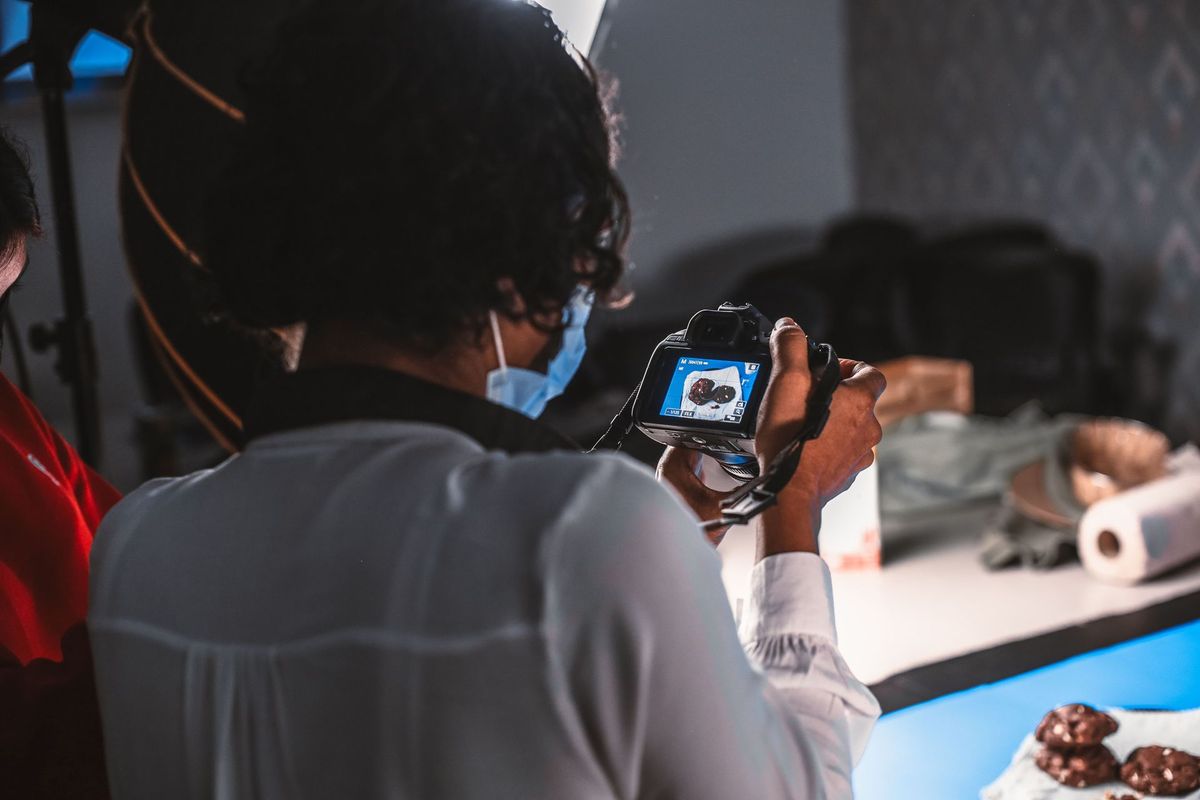
Small, reflective items such as metal parts and jewelry need controlled light to keep highlights from washing out detail. We use diffusion and flags to shape reflections, and we often build a simple table setup where the product can be rotated or moved precisely.
Large equipment is usually recorded in place, because moving it is impractical. The challenge is to isolate the machine from clutter, show its scale with a person nearby and capture the controls and moving parts safely. Your operator should be the one running the equipment, with the crew staying outside the working zone.
Food and beverage items need to be prepared at the right moment, since steam, texture and color change quickly. We plan the sequence so the next item is ready as soon as the previous shot is complete, and we keep backups of anything that will not hold up under lights.
Software and digital products are best shown with screen capture and a short explanation of the problem they solve. Use sample data and, if there is a physical device, include it in some shots to connect the interface to the object.
Common pitfalls
A typical mistake is trying to show every feature in one video, leaving the viewer with no clear reason to choose. Another is using only wide shots that hide details, or only extreme close-ups that hide scale. A third is skipping the review by someone who knows the product, which allows small errors to reach customers.
Also avoid unrepresentative results. If a demonstration uses a special setup or an optional accessory, say so. Customers appreciate knowing what they will receive, and it avoids disputes later.
What affects the scope
Scope depends on the number of products or processes, the setup each requires, the number of features to demonstrate, the locations and the versions you need. Items that need special lighting, assembly or safety precautions require more time. We discuss these details at the start and plan the day around the products rather than the camera.
See more about our general approach on the corporate video production page, or consider a promotional video to introduce the business alongside the product.