Corporate video
How Do You Plan a Manufacturing Video That Helps Buyers Evaluate Your Capabilities?
Turn manufacturing capabilities into filmable evidence for buyers: process and equipment, quality checks, a technical reviewer, and how to handle confidential work and operational limits.
By Tyler Rivera 7 min read
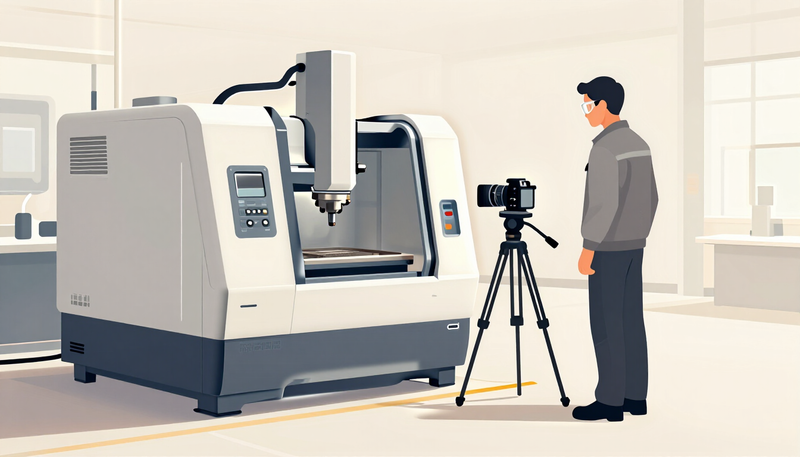
A manufacturing video helps buyers evaluate your capabilities when it shows what your plant can actually do, in the order a technical reviewer would ask about it: what you make, how you make it, what equipment and process control stand behind it, and how you check quality. Plan it from the buyer's evaluation checklist, not from a general tour of the building, and decide early what cannot be filmed.
For the service itself, see our manufacturing video page, the product and process video page and the corporate video hub. Instruction videos for your own staff are covered in our safety training video post.
What is a buyer trying to confirm?
A buyer evaluating a manufacturer is usually reducing risk. They want to know that you can make the part or product to specification, repeat it reliably, handle the volume they need and communicate when something goes wrong. A video cannot prove all of that, but it can answer the first questions and help the right buyers decide to start a conversation.
Write down the questions your buyers actually ask. Typical ones include:
- What processes and materials do you work with?
- What equipment do you run, and what size and tolerance ranges can it handle?
- How do you inspect and document quality?
- How do you manage changeovers, scheduling and capacity?
- What certifications or customer requirements do you work under?
- Who will I talk to when I have a question?
Your sales team and engineers can list these in an hour. Everything in the video should serve one of those questions. Whatever does not, belongs in a different, shorter piece.
How do you turn capabilities into filmable evidence?
A capability is a claim. Evidence is something a viewer can see or hear. The key planning step is converting each claim into a scene.
| Capability claim | Filmable evidence | Who can speak to it |
|---|---|---|
| Precision machining | A part on the machine, the setup, the measurement step | Machinist or programmer |
| Repeatable processes | A documented work instruction in use, a first-article check | Process engineer |
| In-house finishing or assembly | The finishing area and the handoff to assembly | Area lead |
| Quality control | Inspection bench, gauges in use, records being filled in | Quality technician |
| Responsive communication | A real project review between sales and engineering | Account manager |
Only claim what you can show and support. If a capability exists but is hard to film, say it in an on-screen caption or voice-over with care, and let the reviewer confirm accuracy. If it is not currently true, leave it out. The same principle appears in our post on testimonial claims and supporting footage.
How should you show process and equipment?
Buyers like to see the sequence. A good process sequence follows the path of the product, from incoming material to shipped part, with a clear sense of where each step happens. It does not need every step. It needs enough to make the flow believable.
Planning points:
- Show the work in use. A machine that is running with a real part says more than a machine standing still.
- Choose angles that reveal. Close views of the operation, wider views for context, and a person at the controls so scale is clear.
- Name equipment carefully. If you show a machine or brand name, make sure it is accurate and that you are comfortable naming it. If it is not necessary, leave it out.
- Sound matters. The right ambient sound helps, but loud areas may require a separate voice recording, and some audio is distracting.
- Schedule real production. Filming during an actual run is more convincing, but production pressures may limit access. Plan around them.
Keep each sequence as short as the buyer's question allows. If some buyers want more depth on a process, a separate technical clip can serve them.
What quality evidence works on camera?
Quality is one factor buyers may need to evaluate, and it can be hard to show well. Avoid claims like "uncompromising quality." Show how quality is checked.
Useful evidence:
- Inspection steps: a part being measured against a specification.
- Records: a blank or redacted form, not a customer's data.
- Calibration and gauge management, if it is part of your process.
- Corrective action in general terms, described by a quality lead who is comfortable speaking about it.
- Certifications you actually hold, shown accurately and only if current.
Do not imply certifications you do not have, or customer approvals that are not formally in place. If you mention a standard, have your quality manager confirm the wording and the current status. We do not offer legal or compliance advice, and your quality lead is the authority on your own program.
Who is the technical reviewer, and what do they check?
Marketing teams rarely know every detail of a process. Name a technical reviewer, usually an engineer, a quality lead or a production manager, who reads the script and watches the rough cut for accuracy. Their job is not to make it more complicated, but to make sure nothing is wrong.
Ask the technical reviewer to check:
- Terminology and spelling of processes, materials and standards.
- Whether equipment shown matches what is described.
- Whether any claim is overstated or may not hold in all cases.
- Whether any shot reveals something that should be kept private.
- Whether people are using the equipment in a way consistent with your own procedures.
Give them a clear window to respond and one person to consolidate their notes. Our post on organizing video reviews describes how to keep notes from different people from conflicting.
What about confidential materials and operational constraints?
Many manufacturers work under confidentiality terms, and most have areas that cannot be filmed or that are sensitive to disruption. Plan for it from the beginning.
Walk the floor with your production team before the shoot and mark:
- Customer parts, drawings, labels or packaging that must not appear.
- Screens, whiteboards and paperwork that could show private information.
- Areas that are restricted, clean, hot, noisy or hazardous.
- Times when production cannot be interrupted.
- Personal protective equipment and site rules for visitors.
Where a part is confidential, consider a generic or sample part, a blurred or cropped shot, or a description in words. Be clear in the final video about what is shown, so a generic part is not presented as a customer's product. Site rules and safety remain with your own safety lead and apply to the crew as well as your staff.
If a customer relationship is involved, check any agreement before naming or showing the customer. Do not assume permission.
A hypothetical example: a capabilities video brief
This example is hypothetical and does not describe a real company.
Imagine a mid-sized machine shop that makes small precision components in batches. Its buyers are procurement and engineering staff at other companies. Their sales team reports that buyers ask about inspection, material traceability and how quickly a new part moves from drawing to first article.
The brief lists four short segments: a floor overview that explains what the shop makes, a machining setup walk-through, an inspection segment led by the quality lead and a short closing statement from an account manager about how projects begin. Customer parts are replaced with a shop-owned sample part. The technical reviewer is the quality manager, who checks every on-screen claim. No certification is mentioned unless the manager confirms it. The video ends with a plain invitation to send drawings for review.
What should you ask a production team?
- Have you filmed in industrial settings, and how do you plan around production schedules?
- How do you handle sound in loud areas?
- How will you work with our technical reviewer?
- How do you handle confidential or restricted areas?
- Will you provide a shot list we can approve ahead of time?
- What would be a change to scope, such as an extra area or extra day?
Our guide to choosing a production company has a longer comparison list.
Frequently asked questions
Should the video include prices or lead times?
We would not, because they change and depend on the job. Invite buyers to ask for a quote.
Can we show our customers' products?
Only with permission and with attention to confidentiality terms. When in doubt, use a sample part you own.
How long should a capabilities video be?
Long enough to cover the buyer's main questions. Consider a short overview with optional shorter clips on specific processes.
Is it better to film during production or a quiet period?
Real production is more convincing, but quiet periods are easier to control. Many projects use both.
How should the finished video be used with buyers?
A capabilities video works best as part of a sales conversation, not as a replacement for one. Decide before filming where it will be seen: on a capabilities page, attached to a quote follow-up, shown at a trade event or sent to a buyer who asked about a specific process.
Each use suggests a different cut. A page visitor may need a brief overview with a clear next step. A buyer who has already asked about inspection may prefer a short, focused clip. A trade event screen may need captions, because the room is loud. Tell your production team about each place early, so footage is planned for it.
Keep the content current. Equipment is replaced, processes change and certifications lapse. Set a reminder to review the video at regular intervals and note which statements depend on conditions that may change. A video that shows a machine you no longer run, or a certification that has expired, harms trust. If something changes, ask what it would take to update or replace the affected section.
Finally, give buyers an easy way to follow up. A named contact, a clear way to send drawings or specifications and a statement of what you will do with them are more useful than a general invitation to get in touch. Let sales know what the video says, so the conversation continues from it instead of contradicting it.