Corporate video
How to Match Customer Testimonial Claims With Supporting Footage
A claim-to-shot worksheet for testimonial videos: sort what a customer says into opinion, observable detail and checkable fact, then plan the footage and approvals each one needs.
By Tyler Rivera 7 min read

A testimonial video makes claims, even when nobody writes them down. A customer says the crew showed up on time, that the equipment was modern, that the process was careful. Each of those sentences is something the viewer will either believe or doubt, and the pictures on screen can reinforce or undermine how credible the statement feels. This post is a worksheet for matching each claim with the footage that supports it, and for knowing when the footage cannot, and should not, carry the claim.
It is deliberately narrow. For how to prepare customers and write interview questions, read our planning guide for customer testimonial interviews. This post begins after you have a conversation recorded or planned and want the pictures to hold up.
Why do testimonial claims and footage drift apart?
In an interview, a customer talks about an experience. In the edit, we cover the interview with other pictures so the screen does not stay on one face. Those pictures are called cutaways or b-roll, and they quietly change what the viewer thinks was proved.
If a customer says "they have the most advanced equipment" and the screen shows a machine, the viewer reads the machine as proof. Maybe it is. Maybe it is simply a machine that was easy to film. The gap between what was said and what was shown is where credibility is lost, and it is easier to close when the pictures are planned from the claims rather than chosen last.

Which kind of claim is it?
Before choosing any footage, sort every claim from the interview into one of three types. Each needs something different.
| Claim type | Example (hypothetical) | What can support it | Who confirms it |
|---|---|---|---|
| Experience | "They made the whole thing feel easy." | The customer's own words and face. Footage adds mood, not proof. | The customer |
| Observable detail | "They cleaned up every day and used protective covers." | Footage of that practice, filmed on a real job or at your workplace | You, from what actually happened |
| Checkable fact | "They finished in half the time." | Records you hold, shown or stated only if you can back them | You, with your own records and approvals |
The first type is an opinion and belongs to the customer. The second is something a camera can show. The third is a statement of fact that no amount of attractive footage can establish. If a checkable fact is going to be in the video, in the customer's words or on screen, it needs to be something your business can support if someone asks. We do not decide what is true about your business. We plan footage around what you tell us you can stand behind.
The claim-to-shot worksheet
This is the worksheet we would use to plan the pictures. Copy it into a document with one row per claim. The example rows are hypothetical and describe an imagined fabrication shop, not a real customer.
| Claim in the interview | Type | Supporting shot idea | Source of the footage | Confirm before use |
|---|---|---|---|---|
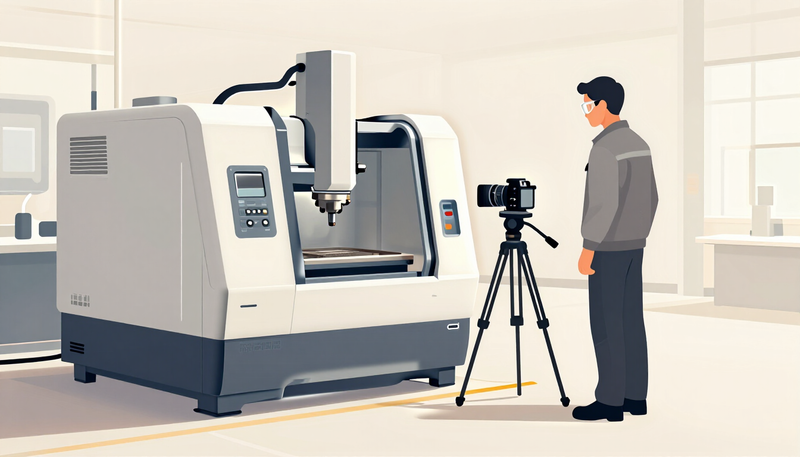
| "They used the specified machine for our parts." | Observable | Footage of the actual equipment running the actual job, with the operator visible | Filmed at your workplace on the day | You verify the footage shows the correct job and equipment; operator and site permission |
| "They kept us updated at every step." | Experience | Customer speaking, no cutaway needed | The interview | Customer approval of the cut |
| "They deliver on schedule." | Checkable fact | Avoid a visual that implies a statistic | None, or a document you control | Your own records |
| "The team clearly knows what it is doing." | Experience | Workers at their task, shot candidly | Filmed at your workplace | Consent from anyone identifiable |
| "They use quality materials." | Checkable fact | Showing a material does not prove its quality. Show only a specific, identifiable material in use, or rely on the customer speaking | Filmed at your workplace, or your records | Specification or supplier records, plus confirmation it is what you actually use |
Notice that a few rows end with no shot at all. That is a result worth having. A claim that has no honest picture does not need a decorative one.

How do you show equipment, workplace and process as evidence?
When a customer talks about what you use, where you work or how you do it, the most credible pictures come from the real thing. Our approach is to film on your premises, with your people doing their normal work, when that is possible. Our product and process video page describes that kind of footage in more detail.
A few rules help footage stay honest:
- Show the actual equipment. If the customer praises a particular machine, show that machine, not a similar one borrowed from somewhere else.
- Show the real place. A workplace that looks different in the video from how it looks when a customer visits creates doubt.
- Show the process in order. If the claim is about a careful process, film it as it happens, in sequence, and not as a collage of attractive moments.
- Keep private things out of the frame. Screens, drawings, labels and documents can reveal information that belongs to your business or to another customer. We plan the angles and ask you to flag anything sensitive.
- Label what is not from the job. If a shot comes from a different project, an earlier date or a stock source, it should not sit under a sentence that implies it came from this customer's work.
You may notice we do not promise that footage convinces viewers. We cannot know that. What we can do is make sure the pictures do not claim more than the business can support.
What about consent and checking the claims?
Two different permissions are involved, and they are easy to confuse.
The customer gives consent for their own words and image: where the video may appear, whether it may be used in ads, and what happens if they change their mind. Our testimonial video page covers review, approval and withdrawal, and we do not repeat all of it here. The key point for this worksheet is that a customer's consent covers their statements. It does not cover your facility, your employees or your records.
Your business covers the rest. The people on camera at your workplace need to agree to appear. The person responsible for the site decides what can be filmed. And anything in the third row of the table, the checkable facts, should be confirmed by whoever holds the records before the video is shared.
In fields with advertising or privacy rules, such as healthcare, legal or financial services, check with your own compliance or legal contact before you invite a customer to say anything about outcomes. That is not legal advice, and we cannot say what your field allows. We plan the questions and the pictures around what you tell us is permitted.
What if the footage does not support the claim?
It will happen. A customer says something warm and general that you cannot back up, or you do not have a good shot for a claim. There are honest options:
- Leave the claim as the customer's opinion. Keep it on the face, with no cutaway that suggests proof.
- Ask a follow-up in a later round. Sometimes the customer can describe what they saw, which is more specific and easier to support.
- Film the real thing. If the claim is about your equipment or process, schedule a short shoot at your workplace.
- Cut the claim. If the customer would not object and the claim cannot be supported, leave it out.
What we will not do is re-edit the customer's words so they say something different from what they said, or put pictures under a sentence to make it sound more certain. That damages the person who trusted you, and it can raise questions about the whole video.
Using the worksheet on the day
Bring the worksheet to your planning conversation, and bring an updated version to the shoot. Build the shot list from it and decide:
- Which rows need footage on the interview day, and which need a separate visit
- Who at your workplace approves access and appears on camera
- Which areas are off limits for filming
- Who confirms the checkable facts before the edit is shared
If you are already planning to get website, social and ad versions from one shoot, our guide to one corporate shoot, many assets shows how to plan for that, and our shoot preparation guide covers the logistics. Both are useful here because the pictures you plan for evidence can also serve other versions of the video.
A short review before you publish
Before anything is shared, walk through these with whoever approves the video:
- Every claim is sorted as experience, observable detail or checkable fact
- Every observable detail has a real shot from your own workplace or job
- No shot suggests a statistic or result you cannot support
- Every identifiable person has agreed to appear
- Private information is out of the frame
- The customer has seen their own part and approved it
- You know every place the video is published, in case consent is withdrawn later
The next step
Take one interview, or even a few notes from a customer, and fill in five rows of the worksheet. If you cannot name a shot or a source for a row, that is the useful discovery. Send it to us and we will plan the pictures with you. You can read client feedback on our testimonials page, see examples of Legend work in our portfolio, and read about how we approach business projects on our corporate video production page.