What a safety video is for, and who decides the content
Video is a good way to show a motion, a sequence or a hazard that is hard to describe on paper. It can support the training your company already gives, give new staff a consistent first look and serve as a reminder before a task. It does not replace instruction from a qualified person, hands-on practice or the rules that apply to your industry.
Content decisions belong to your qualified safety lead or whoever is responsible for safety at your business. We do not write procedures, certify compliance or advise on regulations. We bring production skill: clear framing, careful sequencing and sound that carries the explanation. Your lead reviews the plan, the footage and the final edit.
Choosing one task per video
Safety videos work best when they focus on one task or one hazard. A video covering lockout, ladder use and forklift traffic will leave people remembering none of them. Choose the situation that matters most to your workplace, such as a task that is done often, a step that is easy to skip or an area where new staff are most likely to be unsure.
- A single procedure, shown step by step in the order it is performed.
- A walkthrough of an area, with the points of caution identified.
- A short reminder that restates a rule and shows the correct action once.
- An orientation overview that introduces the site before in-person training.
Our article on what makes a safety training video people actually watch covers how to choose, structure and shorten these topics so people finish them.
Controlled demonstrations, not staged accidents
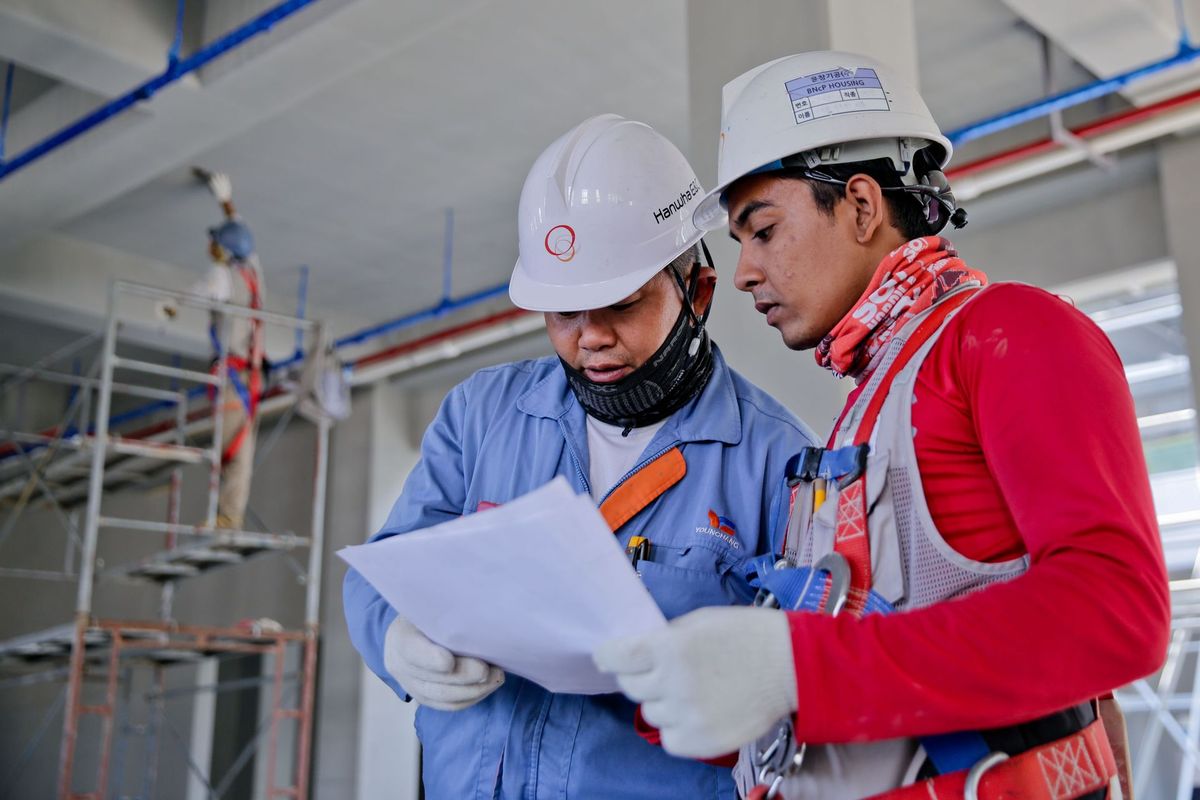
Viewers learn from seeing the correct method clearly. We record demonstrations in controlled conditions, with trained employees performing the task as they would on a normal day and with the appropriate protective equipment worn exactly as your procedures require. We do not ask anyone to perform anything unsafe for the camera, and we do not recreate dangerous situations for effect.
- Your safety lead approves who performs the demonstration and the conditions in which it is recorded.
- Equipment is shut down, guarded or locked out as your procedure requires before the crew enters the area.
- The crew follows the same site rules as any visitor, including protective equipment and designated walkways.
- If something looks unsafe, the shoot pauses and your lead decides how to proceed.
When showing a mistake is helpful, it can often be described in narration or text instead of acted out. A careful voice-over saying “Do not reach past this guard” while the camera shows the guard is usually clearer and safer than staging the error.
Script, narration and who appears on camera
The script is built from your existing procedure and the wording your safety lead approves. We keep sentences short, name the equipment as your employees do and avoid humor that could be misread. Where a rule needs exact wording, such as a required step or a posted warning, we use it as written and show it on screen.
People appearing in the video should be employees who normally do the task. Their participation should be voluntary, and they should know how the video will be used. Seeing a colleague demonstrate the correct method can make the lesson feel familiar. We recommend that the safety lead or supervisor introduces the topic on camera or in voice-over, since the viewer will recognize them as the person responsible.
Framing, lighting and sound in working areas
Industrial and field spaces are often loud and unevenly lit, which is why planning matters. We choose angles that show hands, tools and body position clearly. Close shots reveal details such as how a latch is checked. Wider shots show the surroundings and sequence of movement.
Background noise can make narration hard to follow, so we often record the demonstration first and add the narration in a quiet space afterward. Machine sound can be mixed in at a reasonable level to keep the scene believable without covering the voice. When a space uses hearing protection, we mention it in the plan so crew and equipment are ready.
How a safety shoot usually runs
The day begins with a site briefing from your representative, covering hazards, required equipment and any areas that are off limits. We then walk through the shot list with the safety lead, adjusting it if a step needs a different view. Shooting proceeds task by task, with pauses whenever something needs checking.
- Site briefing and protective equipment check for the crew.
- Walk the task with the safety lead and confirm the shot order.
- Record the demonstration in sequence, with close-ups of key steps.
- Record any required spoken warnings or narration.
- Review the footage with the lead before the crew leaves, so a missed step can be recorded again.
Our guide to preparing for a corporate video shoot lists items to arrange in advance, including access, contacts and scheduling.
Editing and the review that matters
The edit should keep the lesson in the order it is performed, with text on screen for names, numbers and warnings. Music, if used, should stay quiet or be left out so it does not compete with the narration. Pace matters: give viewers time to see each step before moving on.
Your safety lead should review the rough cut for accuracy and the final cut before release. We keep review notes in a single list, since safety content is not a place for conflicting instructions. Organizing corporate video reviews explains how to gather and prioritize feedback.
Using safety videos well
A video is more effective when it is part of a routine. Show it at orientation, before a task that is performed infrequently or at a team meeting, then follow with a discussion and a practical check. Provide captions so the content is clear in noisy areas and accessible to more people.
Sensible measures include whether employees can describe or perform the steps afterward, whether questions to supervisors change and whether the video is actually being used in training. Avoid claiming that a video prevents incidents; its role is to support the instruction and practice you already provide.
If your project also involves general skills training or onboarding, see our page on training and onboarding videos.
Plain language and accessibility
Safety videos are watched by people with different backgrounds, languages and levels of experience. Plain wording, a steady pace and clear visuals help everyone. We prefer short sentences, consistent names for equipment and on-screen text that repeats the key instruction.
- Add captions to every video so it can be understood in loud areas and by viewers who are deaf or hard of hearing.
- If your workforce speaks more than one language, discuss translated narration or subtitles early; your safety lead should confirm that the translations are accurate.
- Use consistent colors and symbols that match your posted signs, so the video reinforces what people see on site.
- Avoid fast cuts and quick on-screen text that viewers cannot read before it disappears.
Mistakes worth avoiding
A common problem is trying to cover too much in one video. Another is showing unsafe behavior even as an example, which can leave the wrong image in the viewer's mind. A third is recording a version of the task that does not match how it is truly performed, which erodes trust the first time an employee notices.
Dating the video is another. If it shows a particular model, label or procedure, note which version it applies to and who is responsible for checking it regularly. Finally, do not use the video as the only record of training. It is a support, and your qualified safety lead should decide what documentation and practice are required.
What affects the scope
Scope depends on the number of tasks, the number of locations, the complexity of the demonstration, the amount of narration and graphics and the number of review rounds. Sites that require extra access steps or limited shooting windows may need more planning time. We discuss these details in a first conversation and shape the plan around your schedule.
For industries such as construction and manufacturing, we often build a short series that your team can reuse. You can read more about corporate video production for our wider approach.