Corporate video
How Do You Plan a Recruiting Video That Shows What Working at Your Company Is Actually Like?
Plan a recruiting video around candidate questions and checkable evidence: who appears beyond leadership, companywide versus role-specific footage, a role matrix and participant choice.
By Tyler Rivera 8 min read

To plan a recruiting video that shows what working at your company is actually like, start with the candidate's question, not your brand's message: what will my days look like, who will I work with, and is this a place where I can do good work? Then gather honest evidence for each answer, from people beyond the leadership team, and decide with each participant what they are comfortable sharing.
For the format itself, see our recruiting video page, and for the broader goal, the hire staff page. When the shoot day approaches, our shoot preparation post helps people get ready.
Who is the recruiting video for?
A recruiting video that tries to speak to everyone usually speaks to no one. Begin by naming the candidates you want to hear from, as specifically as you can.
Useful questions:
- Which roles are hardest to fill, and which do you hire repeatedly?
- Are you reaching experienced professionals, early-career applicants, skilled trades or students?
- What do those candidates worry about when they consider a new employer?
- Who is already in the room when a candidate visits for an interview?
Ask recent hires and current employees as well. They remember what they wanted to know before they applied, and their answers are usually more concrete than a leadership team's guess. A short internal survey or a few conversations is enough. The point is to write down the three or four questions the video should answer.
Be realistic about what a video can do. It can help people picture a workday. It cannot fix a pay gap, a schedule problem or a poor reputation. If a candidate sees one thing in the video and a different thing in the interview, the video has done harm.
What counts as honest workplace evidence?
Evidence is anything a viewer could check against reality. Compare these two statements: "We have a great culture" and "Every Thursday the production team walks the floor together before the shift handoff." The second is observable. You can film it, and a candidate can ask about it.
Look for evidence in:
- Routines. Meetings, handoffs, training, lunch, shift changes.
- Spaces. Where people work, where they take a break, what the equipment looks like in daily use.
- People at work. Doing the actual task, not posing in front of it.
- Support. How new people learn, who they ask, how mistakes are handled.
- Voice. What employees say in their own words about their work, without a script.
Avoid evidence that is really a claim in disguise. A cheerful montage with music asserts friendliness without showing it. Perks that apply to only a few people, or to a past period, can mislead. If something is true for only one team, say so or leave it out.
Our post on testimonial claims and supporting footage gives a worksheet for matching what is said to what is shown. The same idea applies here: for every thing the video says about working at your company, there should be something on screen that supports it.
Who should appear besides leadership?
A video made only of owners and managers tells candidates how leadership sees the company. Candidates also want to see the people they will sit near, and the people who do the work.
Think about a cross-section:
- A person in the role you are hiring for.
- A person who joined recently and can describe the first weeks honestly.
- A longer-tenured employee who can speak about growth and change.
- A supervisor or team lead who works closely with the first group.
- Someone from a neighboring team who collaborates with the role.
Do not choose only the most polished speakers. A person who is thoughtful and slightly nervous is often more credible than a smooth presenter. At the same time, do not pressure anyone. Participation should be voluntary, and some people will decline.
Think about balance, too. If the people shown do not resemble the workforce, candidates will notice. Show the range of people who actually work there, without staging it. Representation should reflect reality, not an aspiration the company has not yet reached.
Companywide video or job-specific footage?
The choice depends on your hiring need. If you hire for many similar roles, or want one piece that outlasts any single opening, a shared companywide video may be enough. If a few roles are hard to fill and differ a lot from each other, role-specific footage will answer candidates better. Some companies use both.
A companywide video answers shared questions: what the company does, how people work together, what the place is like. It has a long life because it does not depend on any one opening.
Job-specific footage answers role questions: what a day looks like for this job, what tools you use, what a new person learns in the first weeks. It is more useful in a posting, but it is narrower and needs updating when the role changes.
If you want both, one session can capture them. Companywide material is shot in common spaces and with a mixed group; role footage is shot at the workstation, with short interviews tied to the job. Our one corporate shoot guide explains how footage from one day becomes several assets, and the same logic applies to recruiting clips.
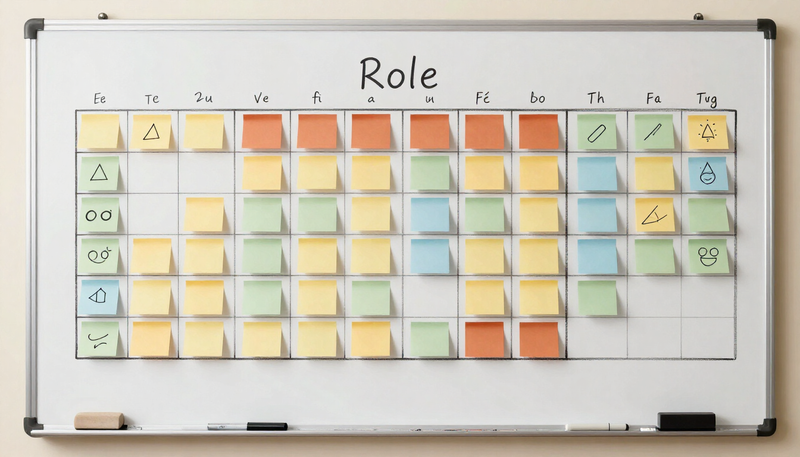
Which roles and what proof? A role matrix
A matrix helps you plan what to film for each audience and keeps you from collecting beautiful but unhelpful footage. This example is hypothetical, for an invented regional company with several departments.
| Role to fill | What a candidate wants to see | Evidence to film | Who might appear |
|---|---|---|---|
| Customer support | Daily rhythm, tools, team help | A shift start, a live team huddle, a training session | Support rep, team lead |
| Warehouse associate | Pace, safety, equipment, teamwork | Floor routines, handoffs, equipment in use | Associate, shift supervisor |
| Entry-level analyst | Mentorship, projects, growth | A project review, a one-on-one, a desk workday | Recent hire, manager |
| Technician | Skills used, training, tools | Hands-on work, a training bench, a coaching moment | Technician, trainer |
Fill in a matrix like this with your own roles and be honest about gaps. If the answer to "what does support look like" is a single overworked manager, the video should not suggest a deep bench.
How do you keep the depiction truthful?
Truthfulness is a set of decisions, made before and during the shoot.
- Film real work. Use the actual people, spaces and tasks, not borrowed or staged ones.
- Do not clean it into fiction. Tidy the area for safety and clarity, but do not hide how the place usually looks.
- Check statements. If someone says "we promote from within," confirm that it is true as a pattern, not a handful of cases.
- Avoid promises. Phrases about pay, flexibility or benefits should be reviewed by someone who owns that policy.
- Current details. Where a detail matters to candidates, such as schedules, pay ranges or benefits, confirm it is current before filming, and assign an owner and a review date so the video is checked when things change. Do not drop essential job information to avoid updating it.
- Label stand-ins. If a role is shown by someone from a different team, do not suggest otherwise.
Where safety is involved, filming does not replace your own review. A safety review stays with your qualified safety lead, and a recruiting video should not show unsafe practice or leave out required protective equipment.
If you work in a regulated field, check with your compliance or legal contact before using employee statements in job-related advertising. We cannot give legal advice, and rules vary.
How do you protect participant choice?
Appearing in a recruiting video is public, durable and tied to the person's employer. Treat consent seriously.
Give each person a plain-language explanation of where the video will be used, how long you expect to use it and who to contact if they change their mind. Allow them to see their own segment before it is public, where feasible. Make sure that declining has no consequence at work.
Plan for the future. People leave, change roles or change their minds. Decide in advance how you will handle a request to remove someone, and how long you intend to use the footage. A short written release, reviewed by your own counsel, is common. Avoid including people in the background who have not agreed, particularly in sensitive areas.
A simple planning sequence
- Name the candidates and write their top questions.
- Gather honest evidence for each question.
- Pick the roles, locations and people, with voluntary participation.
- Fill in the role matrix and decide what is companywide and what is role-specific.
- Write participant explanations and collect agreements.
- Plan the shoot with your production team, using the guidance in our production process post.
- Review the edit with an eye on truth, not polish.
- Decide where the video lives, such as a careers page or postings, and who updates it.
If the same day also yields staff photos, our guide to headshots and bio videos in one session shows how to run the two together.
Frequently asked questions
Should the video mention pay or benefits?
Only if you are sure the statement is accurate and will stay accurate, and a person who owns that policy has reviewed it. Otherwise leave specifics to the posting.
How many employees should be interviewed?
There is no right number. Enough to represent the roles you are hiring for, without making the video a parade of speakers. A few thoughtful voices usually serve better than many brief ones.
Can we use the footage for other things?
Possibly, if participants agreed to those uses. Agree on uses before filming, not after.
What if our workplace is not photogenic?
Honesty usually works better. Show what the work is like, with good lighting and sound. A plain, truthful setting can be more credible than a polished one that does not match the visit.
Is a recruiting video the same as a brand video?
No. A brand video tells customers who you are. A recruiting video tells candidates what working with you is like. The corporate video page shows how they fit within a wider video plan.