
Corporate video
How to Build a Video System That Earns Trust Across Your Whole Business
Video isn't just for your website. Here's how planning each video for its job, from ads to sales follow-ups to training, builds credibility across your whole business.
By Tyler Rivera, Founder of Legend Photo & Film 10 min read
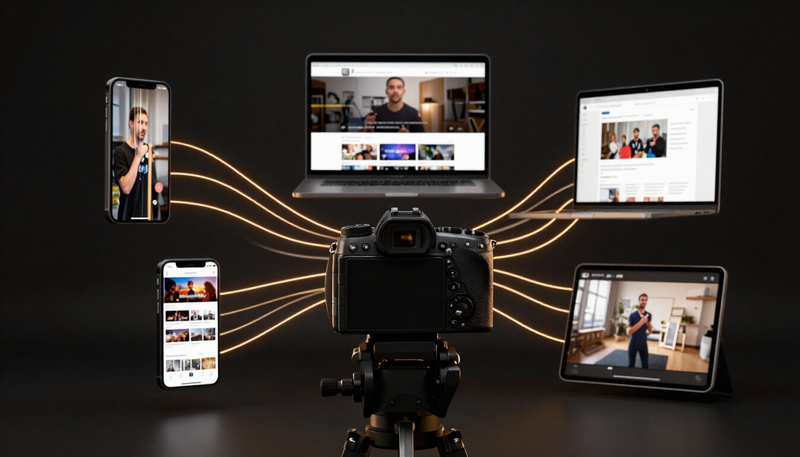
Many businesses think of video as a website project: make one film, put it on the homepage and hope it helps. That is a fair start, but it uses only a small part of what video can do. A film that sits on one page is seen by the people who happen to visit that page. A set of videos that are each planned for a specific job and used across the whole business can reach buyers, candidates and your own team at many different moments.
This guide describes that wider approach in plain terms. We call it a video system. Each video is planned for its job, its audience, its length and the place it will run. Some run through organic social media and paid ads. The ads send people to landing pages that build trust. And other videos help inside the company, in onboarding, training and hiring. It is general advice, it makes no promise about results, and every business will use it differently.
Why is video a system and not a website project?
Buyers do not meet your business in one place. They may see an ad, read a post, open an email from your sales team, visit a landing page and look up your team on LinkedIn, all before they say hello. Candidates and new hires meet you in other places again. A single video on a single page cannot cover all of that.
A system is simply a plan for how the pieces fit together. It answers a few questions before anyone picks up a camera. What problem are we solving? Which films will solve it? Where will each piece of those films go? How will we find out what works?
Planned this way, video stops being a one-off expense and becomes something the business keeps using. The same shoot day can feed marketing, sales, hiring and training, which is also why a system tends to be a better use of a shoot day than a single film.
Step 1: Where does trust break down in your business?
Try it
Where does trust break down in your business?
Tap everything that sounds familiar. The suggestions update as you go.
Start with:
Pick one or more above to see which videos fit.
Start with the business, not the camera. Before choosing any video, look at the whole company and ask where trust or understanding is breaking down. Video should solve a real problem, and the biggest problem is not always winning clients.
Walk through four areas:
- Sales. Do prospects arrive unsure who you are? Do sales calls spend the first twenty minutes proving you are legitimate? Do deals stall because the buyer cannot picture working with you?
- Hiring. Do good candidates drop out because they cannot tell what it is like to work with you? Do you attract the wrong applicants?
- Onboarding and training. Do new people ask the same questions again and again? Do managers repeat themselves? Is the knowledge in a few heads rather than on record?
- Online visibility. When someone searches for you, what do they find? Is anything there that shows real people and real work?
You may find that your largest gap is internal. A company that loses weeks to slow onboarding may get more value from a training video library than from a marketing film. Write down the top two or three problems and rank them. That list decides what to film first.
Step 2: Which core films should you make?
Once you know the problem, choose a small number of core films. These are the main pieces to plan first. For most service businesses, four types do most of the work. Each answers a different trust question.
- Brand film. "Who are you and why do you do this?" A short introduction to the business, usually about a minute and a half. See our corporate video production hub for how we approach it.
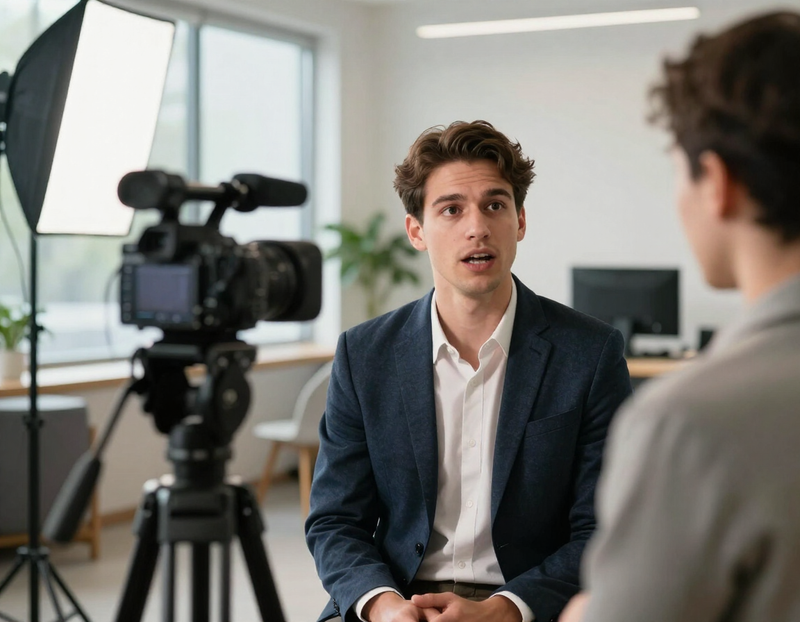
- Client stories. "Does it work for people like me?" Real customers describing the problem they had and what it was like to work with you. We explain the format on our testimonial video page, and our post on planning customer testimonial interviews covers how to run the conversations.
- Expert answers. "Do you know what you are doing?" Short videos where someone on your team answers a question clients ask all the time.
- Team intros. "Who will I be working with?" A short, relaxed introduction from each key person.
You do not need all four on day one. Pick the one or two that match the problem you found in Step 1, and treat the rest as later additions. A modest set of honest films serves you better than a large set of vague ones.


Step 3: Plan every video for its job and its length
Every video should have an intention. If you need a 15-second ad, it should be planned, scripted and shot as a 15-second ad, with every moment on camera crafted for those 15 seconds. The same goes for any length. A 15-second ad, a 60-second social video, a 2-minute client story and a training module are each planned and filmed for that format from the start, with a hook, a structure and an ending built for that length.
Before the shoot, each video gets a short plan:
- Its job. What should the viewer think, feel or do afterwards?
- Its audience. A new buyer, a candidate, a client or a new hire?
- Its length and shape. Fifteen seconds, a minute or longer, vertical or wide.
- Where it runs. Website, social, an ad, a landing page, a sales email or a training library.
Then everything is captured in one organized shoot, so people, places and equipment are set up once. Pulling shorter clips from a longer film is also useful, and we do it, but it works best as a bonus, not the plan. For the practical detail, we do not want to repeat what we have already written. Our guide to planning one corporate shoot for website, social and ad assets covers the shoot-day side, and our post on short-form video for local businesses covers how to shape short clips.
Step 4: Why use paid ads as well as organic social media?
Many businesses treat organic social media as the only way to promote a video. Posting regularly is worthwhile, but it has limits, and paid ads are often forgotten even though they can be a major part of the system.
Organic posts reach people who already follow you, plus whoever the platform chooses to show them to. Paid ads let you put a video in front of a chosen audience that has never heard of you. They appear in the scroll like any other post, and they do not live on your page.
The biggest advantage is testing. With ads you can run several versions of the same ad and see how people respond. These versions are made on purpose. They are planned and filmed for testing, not just re-edits of one long film. You might plan versions that differ in:
- the opening, which is the hook,
- the message,
- the headline or caption,
- the length, or
- the closing request.
The data then shows which version holds attention and which one gets people to act. That is how you find the message that actually works, instead of guessing. We cannot promise any particular result, since it depends on your offer, your audience and your budget. What testing does is replace opinion with evidence.
This approach fits ads and not your organic feed. If you posted five nearly identical videos on your own page in a week, followers would see repeats and the page would start to look like spam. In ads, each person usually sees one version, and the versions are managed behind the scenes. Both channels have a job. Organic builds a steady presence with the people who follow you. Paid lets you test and reach new people.
If you want to go deeper, our promotional video page describes videos made to promote an offer, and our social media management page explains how we handle ongoing posting.
Step 5: What should a landing page do?
Ads send people somewhere. Often that place is a landing page, which is a page built for one purpose. It is not your whole website. It has one message, one request and as few distractions as possible.
A landing page earns trust in two ways. First, a video lets the visitor see and hear who you are, which can help them feel confident. Second, real client testimonials show that other people have already taken the step they are considering. Together they answer the two questions visitors carry into the page: "Can I trust these people?" and "Has this worked for others?"
What the page asks for depends on the offer:
- Bigger services. A short form where the visitor leaves their name and contact details so you can start a conversation.
- Lower-priced offers. An online purchase, where a short video can help someone feel sure before they buy.
Keep the page honest and simple. Use real testimonials from real clients, in their own words, with their permission. Do not invent quotes, and do not overpromise. Testimonials run through the whole system: in ads, on landing pages and in sales emails. One strong client story, planned in a few lengths, can do a lot of work.
Step 6: How does video help inside the business?
So far we have talked about winning new customers. The same planning helps on the inside too.
- Onboarding. A short welcome from leadership, a tour of how things work and an introduction to the team help new people feel settled sooner.
- Training. Record how your best people do the job once, and use it for every new hire. See our training video page for how those sessions work.
- Recruiting. Show candidates what working with you is really like, so the right people apply. Our recruiting video page covers that format.
These uses are easy to overlook because they are not marketing. They are also the ones that save managers time and make the business run more smoothly. If your Step 1 list showed an internal problem, this is where you may find the best return on a shoot day.
How does it all connect?
Each video is planned for a specific job and a specific place: your website, social media, ads, a landing page, a sales follow-up or training. Ads send people to landing pages. Landing pages turn visits into leads or sales. Inside the company, other videos help with onboarding, training and hiring.
Here's the whole system on one page.
The flow reads in three steps. First, videos each planned for a job: brand film, client stories, expert answers, team intros and ads made for testing. Second, where they work: website, social media, paid ads, landing pages, sales emails, and training and hiring. Third, what it gets you: trust before the first call, more leads becoming clients, better hires, faster onboarding and a brand that looks the same everywhere. The result is credibility that makes selling easier.
The videos share the same people, the same message and the same look. A buyer who sees an ad, then a landing page, then a sales email meets the same faces telling the same story each time. That consistency is what makes a business feel credible, and it is a big reason to plan the videos together instead of one at a time.
How do you start small?
You do not have to build the whole system at once. A sensible path looks like this:
- Look at the business. Write down the top two or three places where trust or understanding breaks down.
- Choose one or two core films. Pick the ones that match the biggest problem, and decide each one's length and where it will run.
- Plan one shoot day. Group the videos and the interviews so people, places and equipment are organized once.
- Finish each video for where it lives. Start with a few videos, not dozens.
- Test and learn. If you run ads, try a few versions. Keep what works, drop what does not and add more over time.
What should you ask before you start?
Use this checklist before you spend time or money. If you cannot answer most of it, a short planning conversation is a better first step than a camera.
- Where does trust break down in our business today: sales, hiring, onboarding or online?
- What are the five questions we hear most from buyers and from new hires?
- Which one or two core films would solve the biggest problem?
- Which customers might be happy to share their experience, and have we asked them?
- Who on our team will appear, and are they comfortable doing it?
- Where will each video run: organic, paid, email, landing pages or internal use?
- Who will manage the ads and landing pages, and how will we compare versions?
- What do we want a viewer to do after watching?
- How will we tell whether things are getting better?
- Who approves the final videos, and how long will that take?
Frequently asked questions
Do we need paid ads for this to work?
No. A video system can run entirely on organic posts, email and sales follow-ups. Paid ads add the ability to reach new people and to test versions side by side, which is why many businesses include them. Start with what suits your goals and budget.
Will this guarantee more clients?
No. Video helps people understand and trust you faster, but sales also depend on your offer, your timing and your follow-up. Treat it as one part of a larger plan.
Do we need a lot of videos to begin?
No. Many businesses start with one or two core films and build from there. The value comes from planning each video for a clear job and place.
What if our team is uncomfortable on camera?
Most people are at first. Short questions, a relaxed setting and the chance to try again help. Let people answer in their own words instead of reading a script.
Can the same footage help with hiring and training?
Yes. Interviews and team footage often work for recruiting and onboarding as well as marketing, as long as people have agreed to how their footage will be used.


