
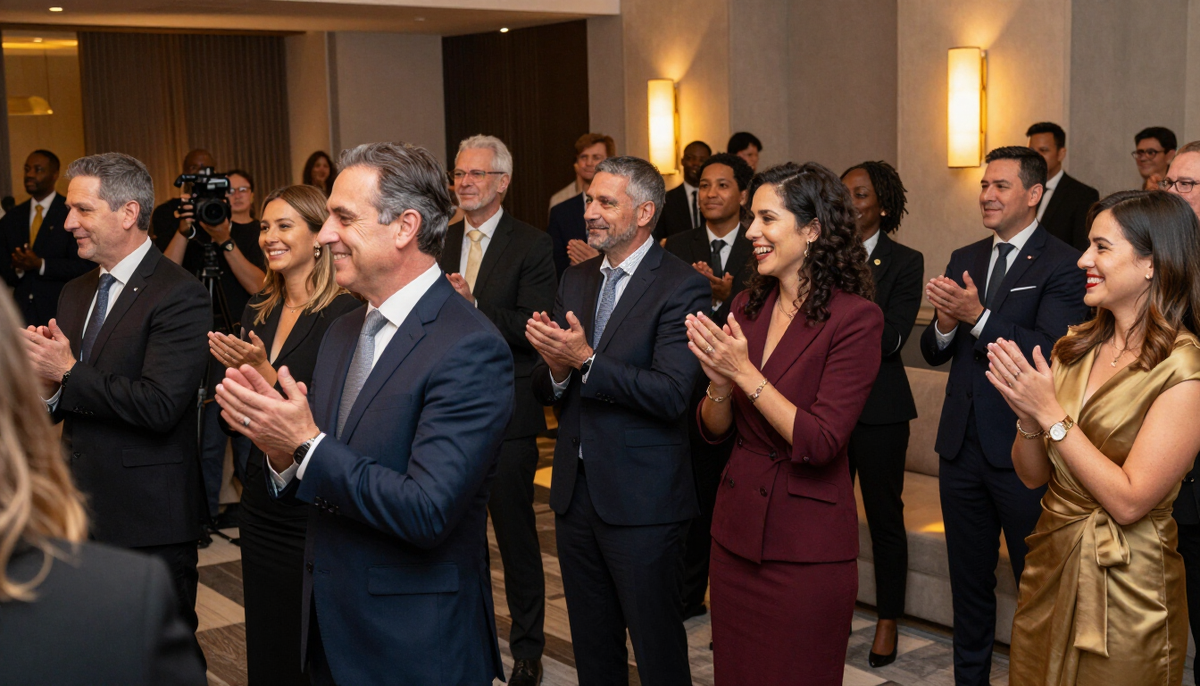
Annual meetings and leadership gatherings / Videography
Annual meeting videography in Connecticut
When part of your organization cannot be in the room, the video record becomes the meeting. We record leadership presentations in a way that keeps the speaker, the slides and the sound easy to follow, and we do it inside the rules you set for confidential and financial content.
Single-camera or multi-camera session records
A single steady camera gives a faithful, simple record of a keynote or business session. Multiple cameras allow a wide view, a closer speaker view and reaction shots from the room, which helps a long meeting hold attention.
We help you choose based on the room, the agenda and who will watch afterward.
- Full-program record of the main session
- Wide view plus a closer speaker view
- Panel and audience question angles
- Edit options agreed before the day
Speaker and slide editing that stays readable
Slides carry the numbers and the argument, and they are hard to read from a camera pointed at a screen. We can plan to bring in the slide deck or a feed from the presenter laptop and edit it beside the speaker, so viewers see both without squinting.
Any financial content stays under your direction; the organizer decides what may appear in the final video.
Questions before you decide?
We cover leadership gatherings throughout the year. Share your date, location and coverage needs so we can prepare a scoped quote.
How we plan and cover your annual meeting video
The video side starts with the room, the agenda and the sound, and it fits photography into the gaps rather than the other way around.
Before the meeting
We ask who will watch the recording, which sessions are included and which slides or financial segments must stay out. We agree one organizer contact, the coverage window, camera approach and deliverables, and we prepare a scoped quote from the date, location and coverage needs.
Preparing presenters
We send a short note for speakers about microphone use, where to look and how slide changes affect framing. Nobody is asked to memorize a script. If an executive wants a brief message recorded separately for people who could not attend, we agree the time and location in advance.
Coordinating with the AV team and venue
We talk through the slide source, speaker audio feed, Q and A microphones and room lighting with the AV team. LED screens and stage lights can flicker on camera, so we check settings early. We choose positions that stay out of the audience view and respect any no-recording areas.
On the day
We arrive for the agreed setup, check sound and framing with the first speaker and follow the agenda and break timing. Where a breakout and the main session run together, one operator cannot cover both, and we use the additional operator discussed at planning. We move quietly and avoid blocking the screen.
After the meeting
We explain the edit plan: how speaker and slides are combined, how audio is balanced and which formats you will receive. We agree review and delivery checkpoints, and we follow the organizer’s instructions on who may receive the confidential session record.
Audio feeds, Q and A microphones and clean speech
Speech is the point of this video. With permission, we ask the AV team for a feed from the room sound system, and we can add an independent backup recorder. Q and A microphones matter as much as the podium, since audience questions are easy to lose.
Speaker feed
A clean line from the AV team when they can provide one.
Q and A
A plan for roving or stand microphones so questions are audible.
Backup
An independent recording in case a feed drops.
Agenda, breaks and breakout rooms
A leadership gathering rarely runs as one block. We follow the agenda and break timing so the record starts and stops where you expect it to, and we discuss whether breakout rooms need their own coverage or an additional operator.
Delivery formats you can agree on
Some organizations want the full session, others a shorter version for staff who missed it. We can discuss a complete program, chapters by agenda item, short clips of leadership remarks and captions, and agree what you receive and who may share it before the meeting begins.
What to send when you ask about your annual meeting
Share your date, location and coverage needs so we can prepare a scoped quote. Whatever you do not know yet, we will ask about.
- Meeting date, town and venue
- Agenda, break times and breakout rooms
- Single-camera or multi-camera preference
- Slide format and who controls the screen
- Segments that must not be recorded
- AV team contact and microphone setup
Related pages
- Annual meetings and leadership gatherings: videography and photographyThe full service, with video and photography planned together.
- Annual meetings and leadership gatherings photographyHow the photo side is planned next to the video.
- January sales and company kickoff meetings videographyA separate service with its own planning: kickoff meeting coverage.
- Year-end awards dinners and banquets videographyA separate service with its own planning: year-end awards dinner coverage.
- Sales celebrations and team milestones videographyA separate service with its own planning: sales celebration coverage.
- Corporate video productionThe broader service this page sits under, for company events of every kind.
- All seasonal and holiday servicesEvery seasonal service in one directory.
- Our workVideos, photo galleries and projects from Legend Photo & Film.
Common questions
Will you record confidential slides?
Only if the organizer decides it is appropriate. You tell us which slides, financial pages and sessions may be recorded, and we work to that list. We can also plan the edit so sensitive content is left out of the version that is shared.
Can the video be for internal use only?
Yes. Many annual meeting records stay inside the organization. We agree at inquiry who receives the files and how they are shared, so the recording is used the way you intended and not passed beyond your own team.
Do you need a feed from our AV team?
It helps, since a direct feed gives cleaner speech than room sound alone. We ask permission before connecting, and we can bring an independent backup recorder. If a feed is not possible, we confirm audio options at inquiry.
Can you cover breakout rooms too?
Often, yes, but one operator cannot cover the main session and a breakout at the same moment. If several rooms need coverage, we discuss an additional operator when we see your agenda and decide what to prioritize.
What happens after you inquire about event video and photo
- 1
Send your details
Tell us the goal, your timeframe and your location.
- 2
We review your details
We read your inquiry and confirm availability.
- 3
We reply with next steps
We reply with the next steps. If a call would help, we’ll arrange one.
- 4
Plan the scope and quote
We talk through goals, deliverables and scope, then provide a quote.
Plan the video record of your annual meeting
We cover leadership gatherings throughout the year. Share your date, location and coverage needs so we can prepare a scoped quote.
Tell us what you want to make.
Email tyler@legendphotoandfilm.com or call 860-255-8802.
Talk about your project